list On this page expand_more
- How to Create a Subreddit, Step by Step
- Step 1: Pick a topic
- Step 2: Choose the community type
- Step 3: Name it and describe it
- Step 4: Add the icon and banner
- Step 5: The launch screen
- Requirements Reddit Doesn’t Put in the Form
- The Name Cannot Be Changed. Ever.
- Subreddit Image Sizes and Specs
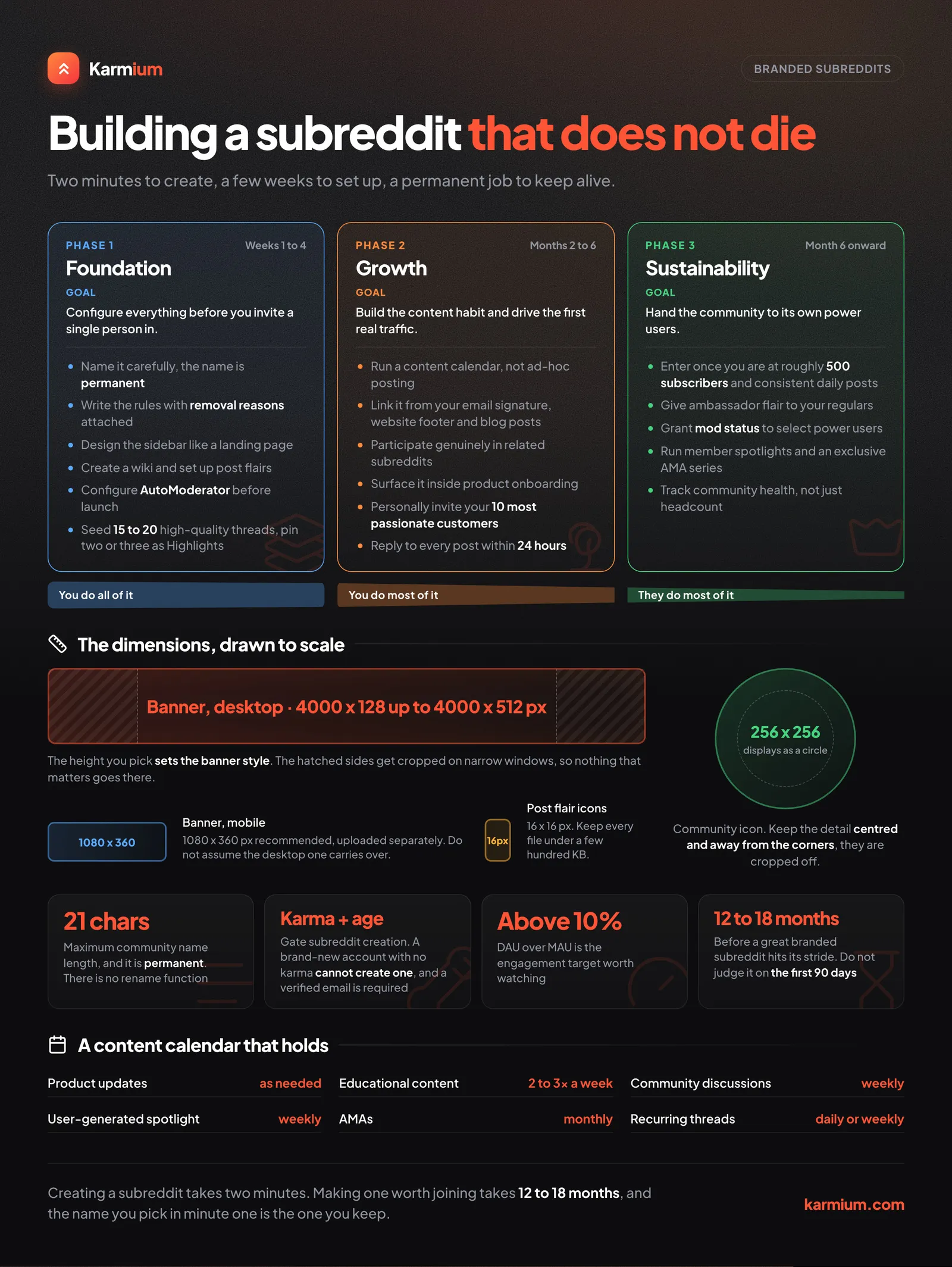
- Phase 1: Foundation (Weeks 1–4)
- Configure Before You Invite Anyone
- Set Up AutoModerator Before You Need It
- Seed Content Before Launch
- Why Even Bother with a Branded Subreddit?
- Phase 2: Growth (Months 2–6)
- Content Calendar Framework
- Drive Initial Traffic
- Moderation Philosophy
- Phase 3: Sustainability (Month 6+)
- Elevate Power Users
- Metrics to Track
- Red Flags
- Real Examples Worth Studying
- The Long Game
A branded subreddit done right is a marketing asset unlike anything else. It’s a self-sustaining community that generates user content, builds brand loyalty, and creates a direct feedback loop with your most passionate customers.
A branded subreddit done wrong is a digital graveyard with three posts from 2023 and a pinned mod note nobody reads.
This guide covers how to build the former: the mechanics of creating one, the asset sizes and settings that trip people up, and the work that decides whether it lives or dies.
How to Create a Subreddit, Step by Step
The flow below is the current desktop one, captured while creating a real community. Reddit walks you through four screens, then drops you into the community with the branding still to do.
Step 1: Pick a topic
Open the + Create menu in the top navigation, choose Community, and Reddit opens with the topic picker.
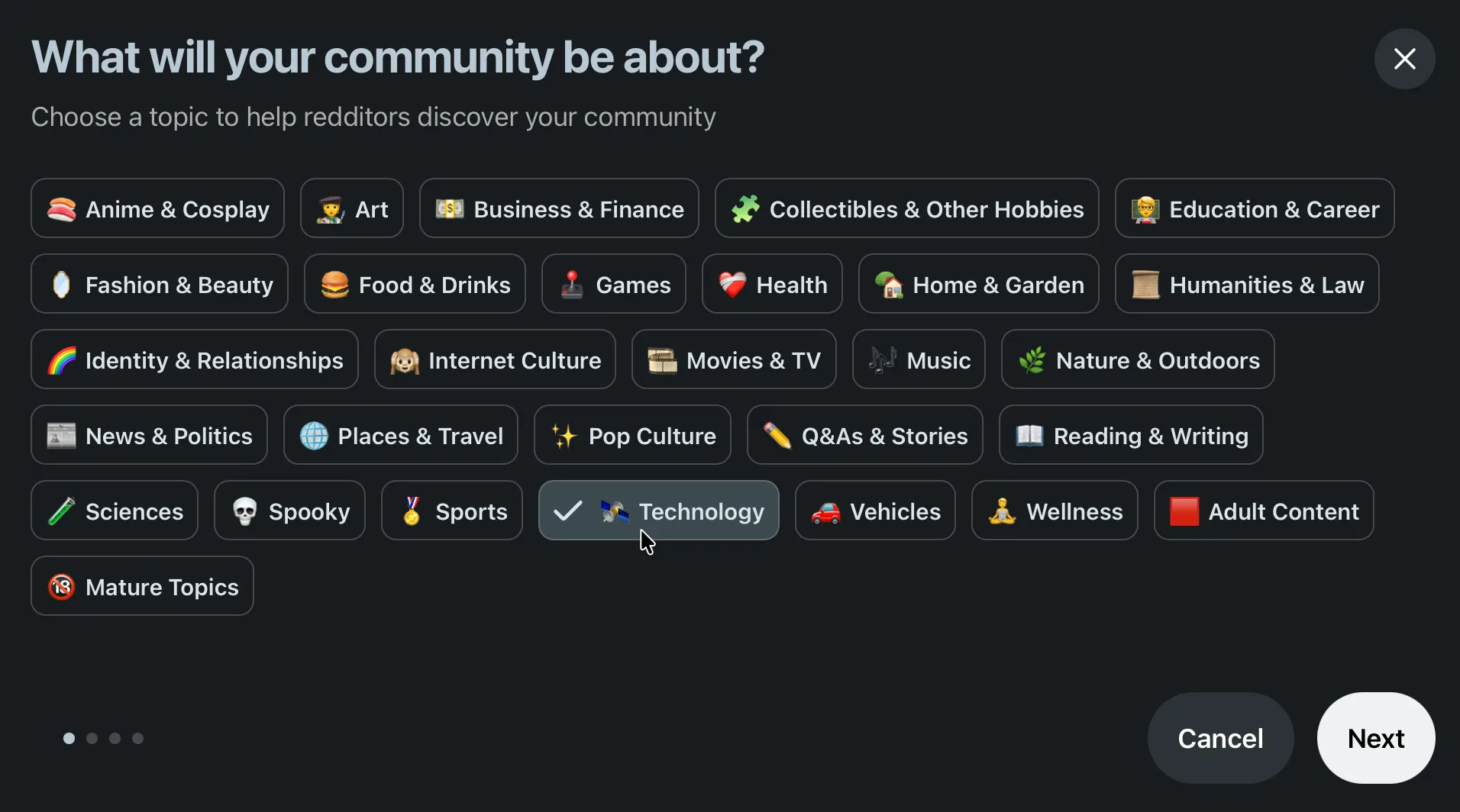
This is not cosmetic. The topic feeds Reddit’s own discovery and recommendation surfaces, so it decides which feeds your community can surface in. Pick the one your target members would browse, not the one that flatters the brand.
Step 2: Choose the community type
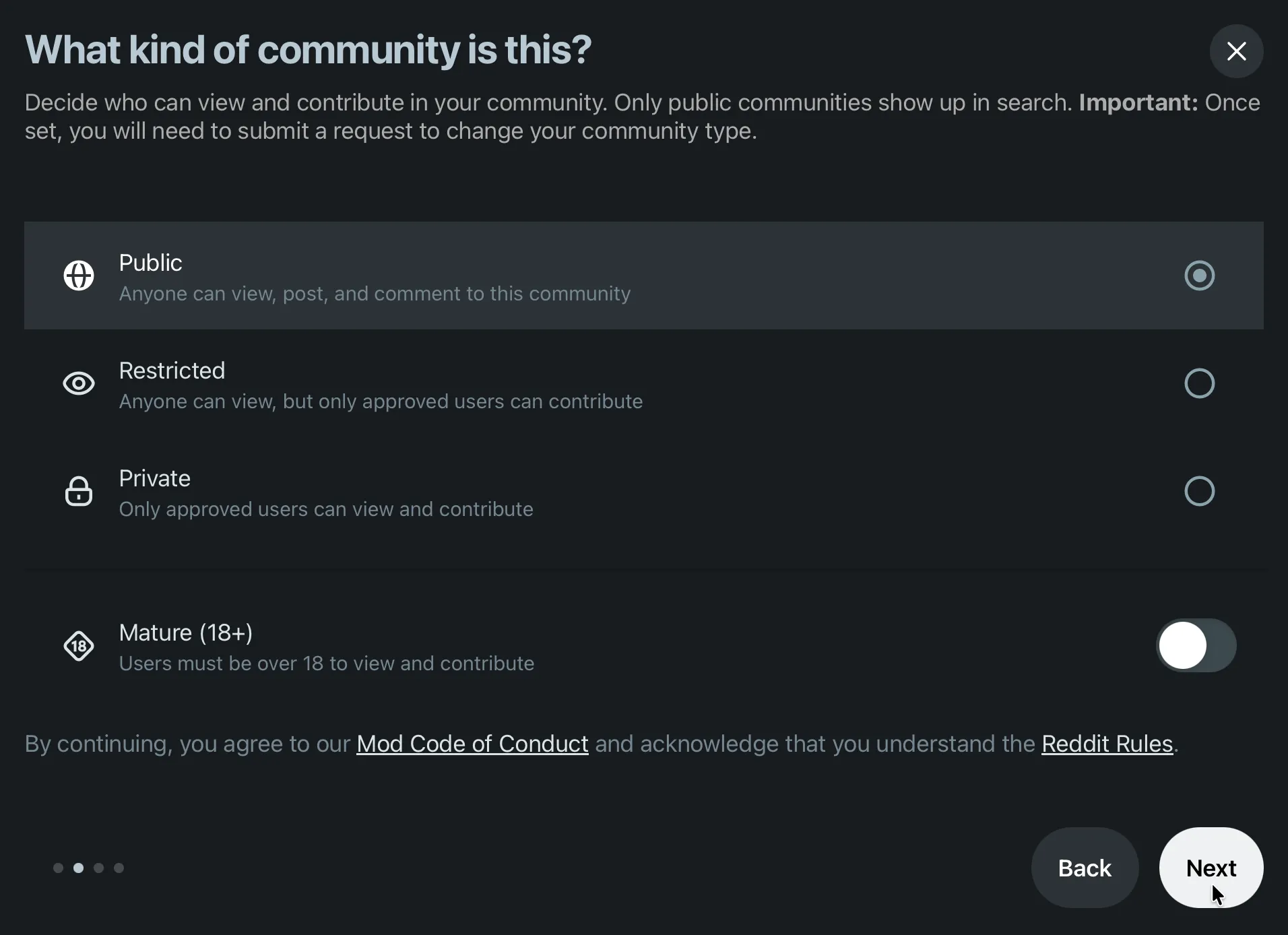
Read the warning at the top of that screen: once set, you have to submit a request to change the community type. It is not a settings toggle you flip later.
- Public: anyone can view, post and comment. Only public communities show up in search, so this is the only sensible choice for a brand community you actually want found.
- Restricted: anyone can read, only approved users can post. Useful for an announcements-style community, terrible for building conversation.
- Private: approved users only. Beta programmes and customer councils, nothing public facing.
The Mature (18+) toggle is on the same screen. Turning it on removes the community from most discovery surfaces and blocks advertising against it, so only use it if the content genuinely requires it.
Step 3: Name it and describe it
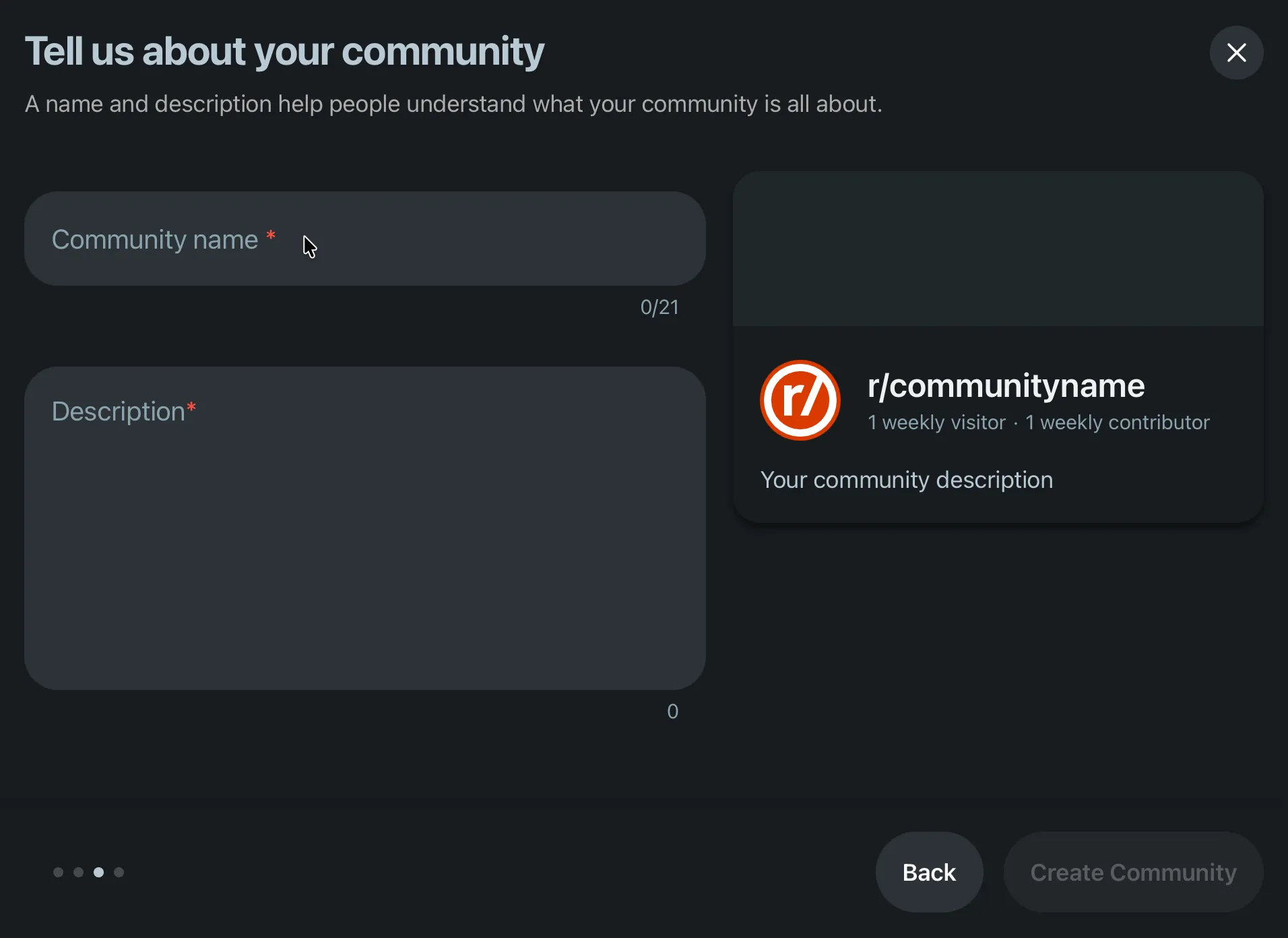
Note the counter: 21 characters maximum for the name. The live preview on the right shows how the community will look in search results and in the sidebar.
If the name is gone, Reddit tells you immediately:
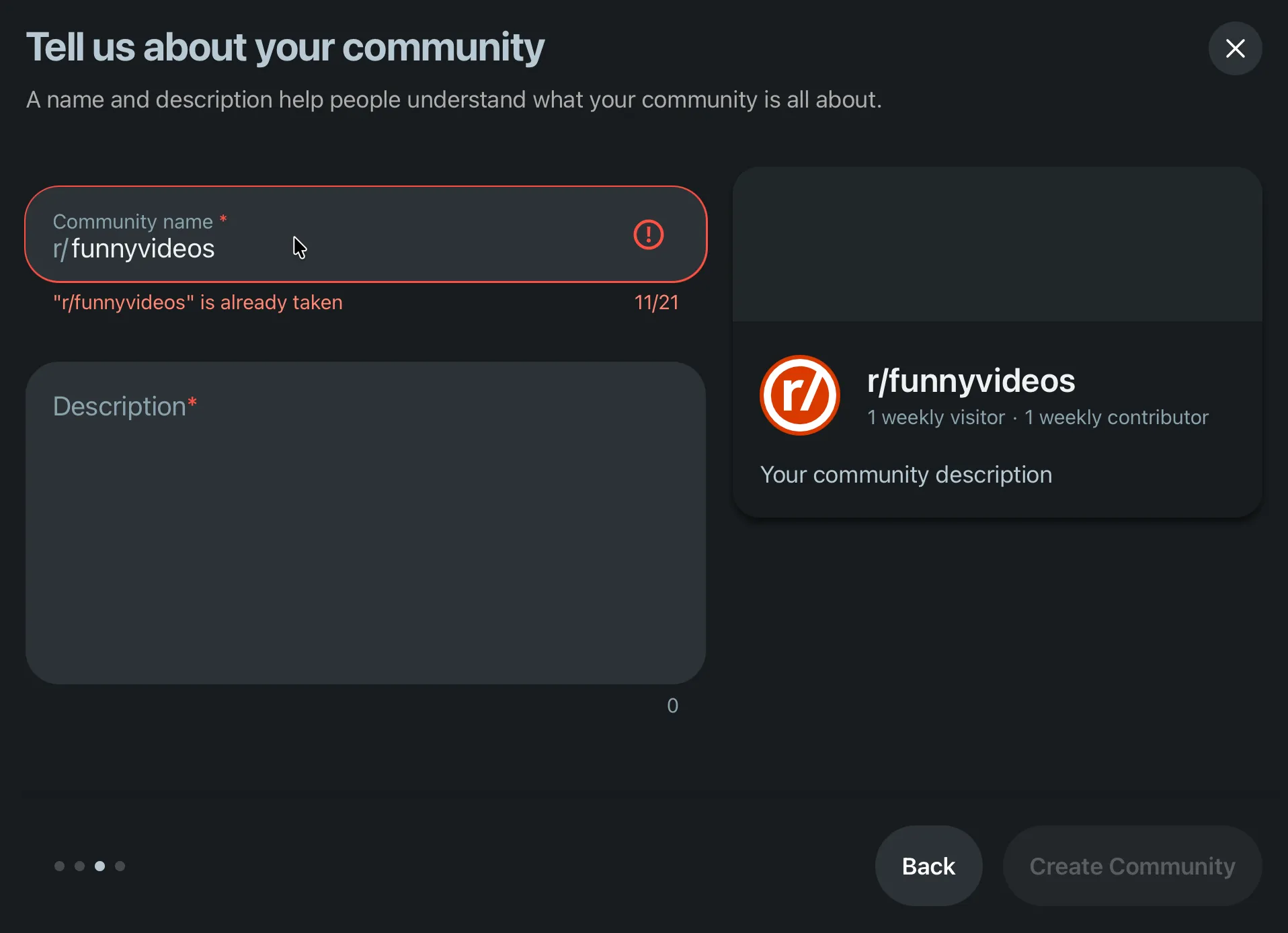
Most obvious names are taken, often by a squatter or a dormant fan community. Check yours before you plan a launch around it, because as the section below explains, you cannot rename later.
The description is what appears in search results and in the sidebar, so treat it as ad copy rather than a placeholder. Write what the community is for and what people should do in it:
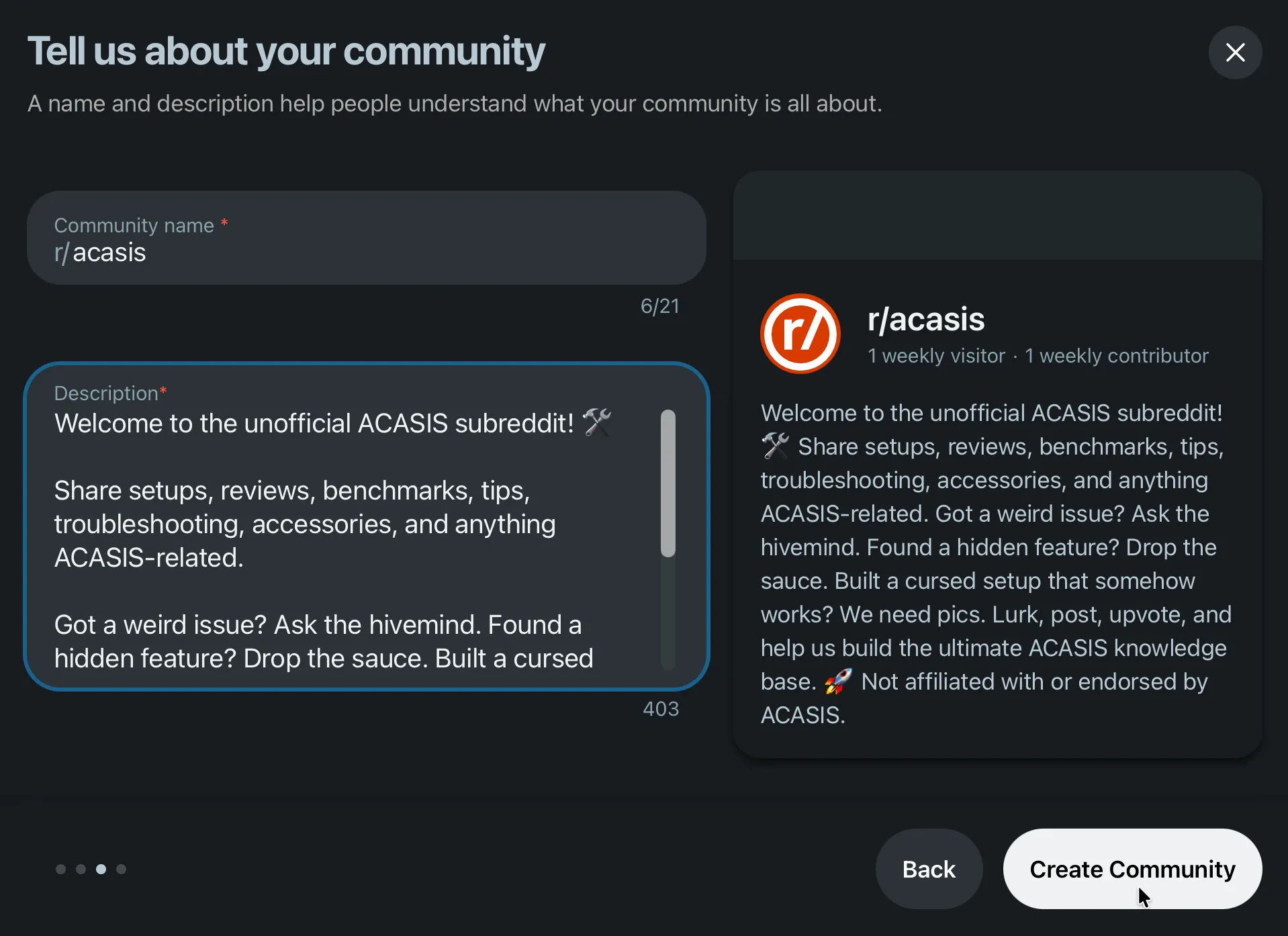
If you are running an unofficial or fan community for a brand you do not own, say so in the description. It costs you nothing and it heads off a trademark complaint later.
Then hit Create Community.
Step 4: Add the icon and banner
The community now exists. Reddit takes you into an edit view where the icon and banner are still placeholders, and both offer a Gallery tab of Reddit’s stock art and an Upload tab.
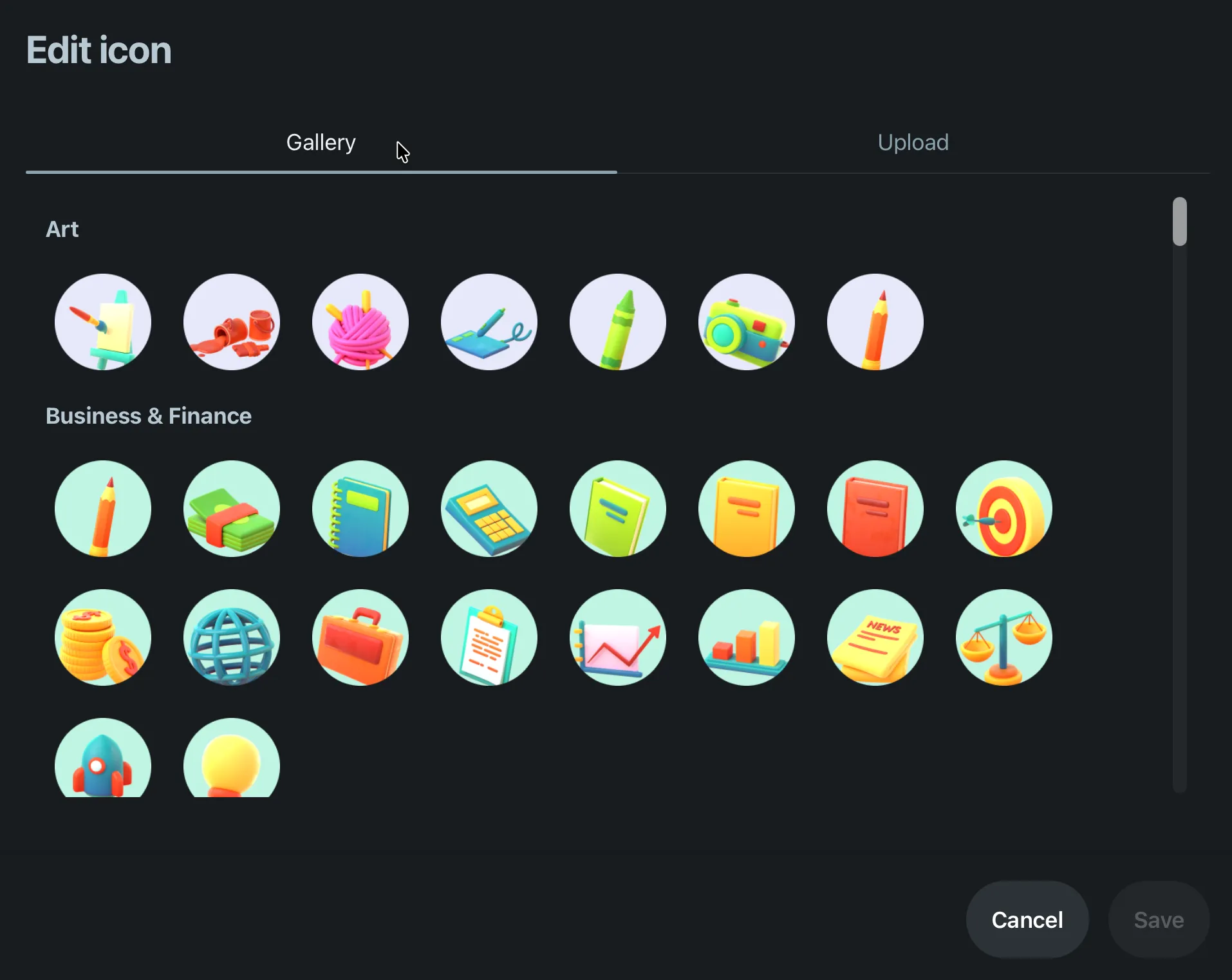
The gallery is fine for a hobby community and wrong for a brand. Switch to Upload:
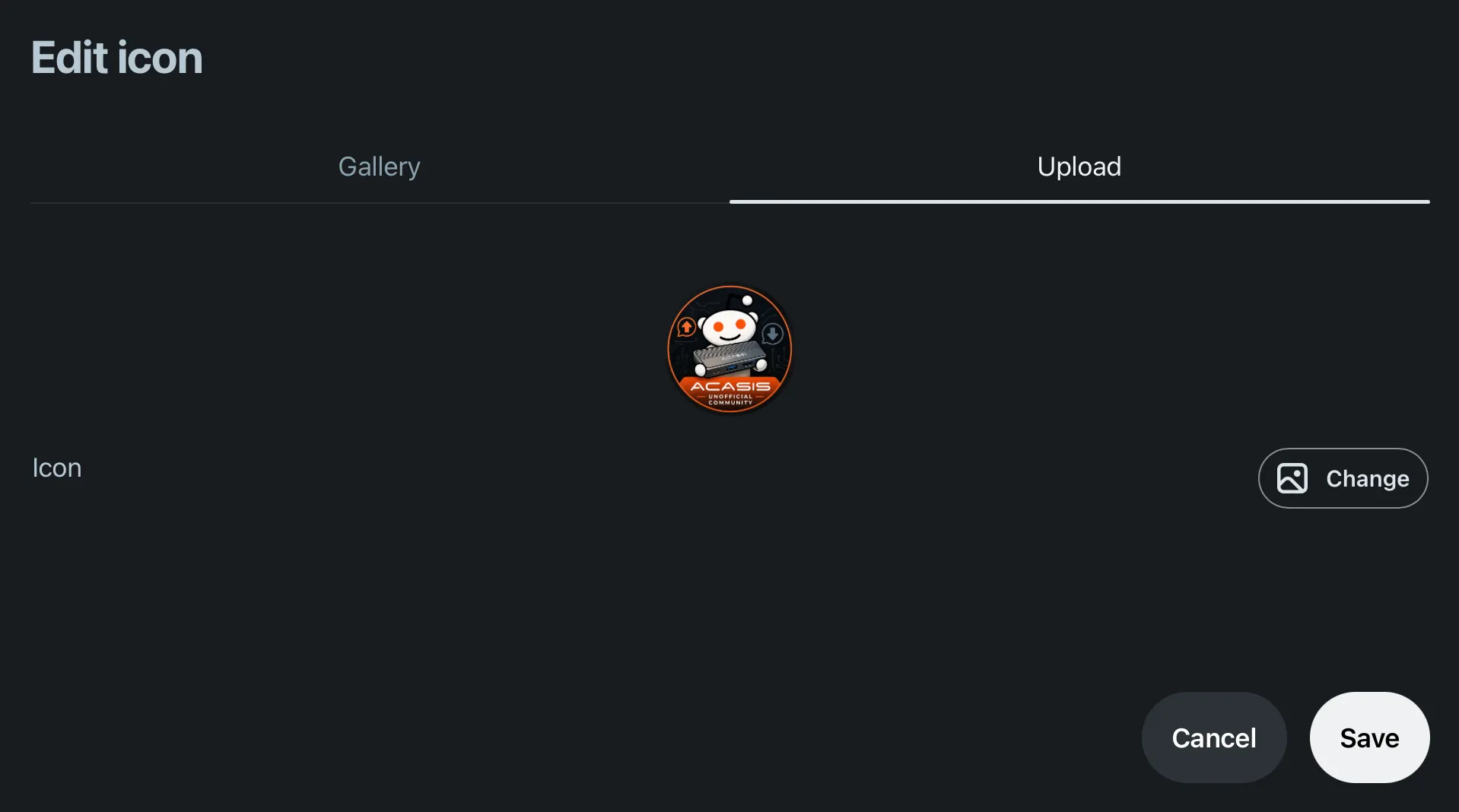
Remember the icon renders as a circle at small sizes. Anything in the corners is cropped, and anything smaller than about 40 px of detail disappears in the feed.
The banner works the same way, gallery first:
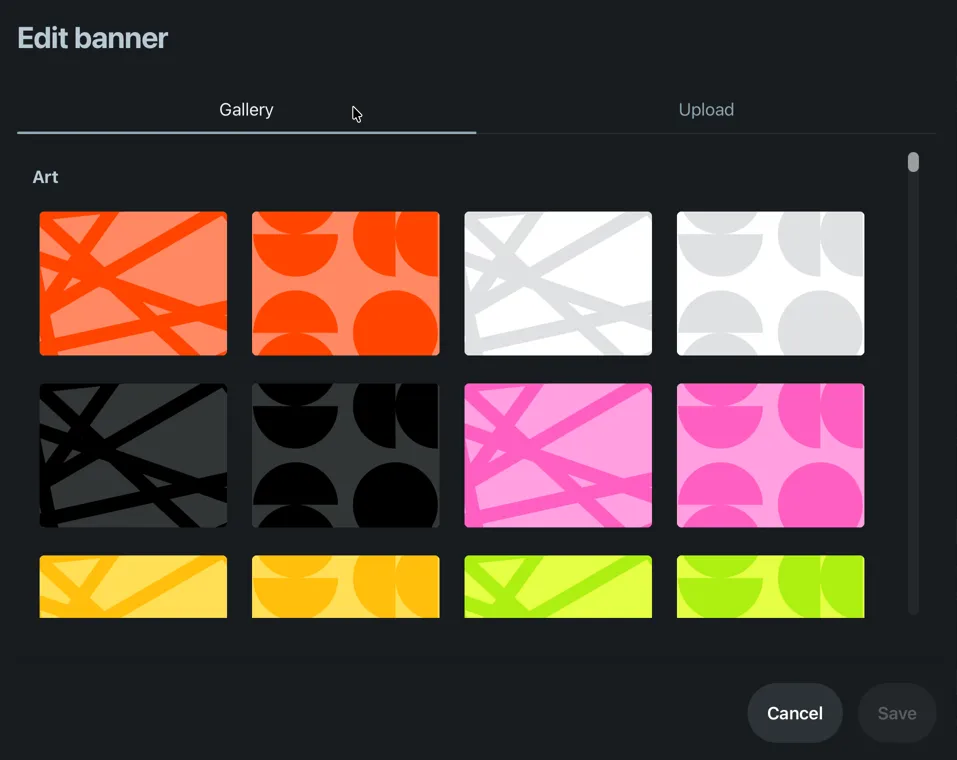
A banner is the one piece of real estate on the page you fully control, so use it to tell people what to do. The example below spells out the four things members are meant to post, plus the disclaimer:
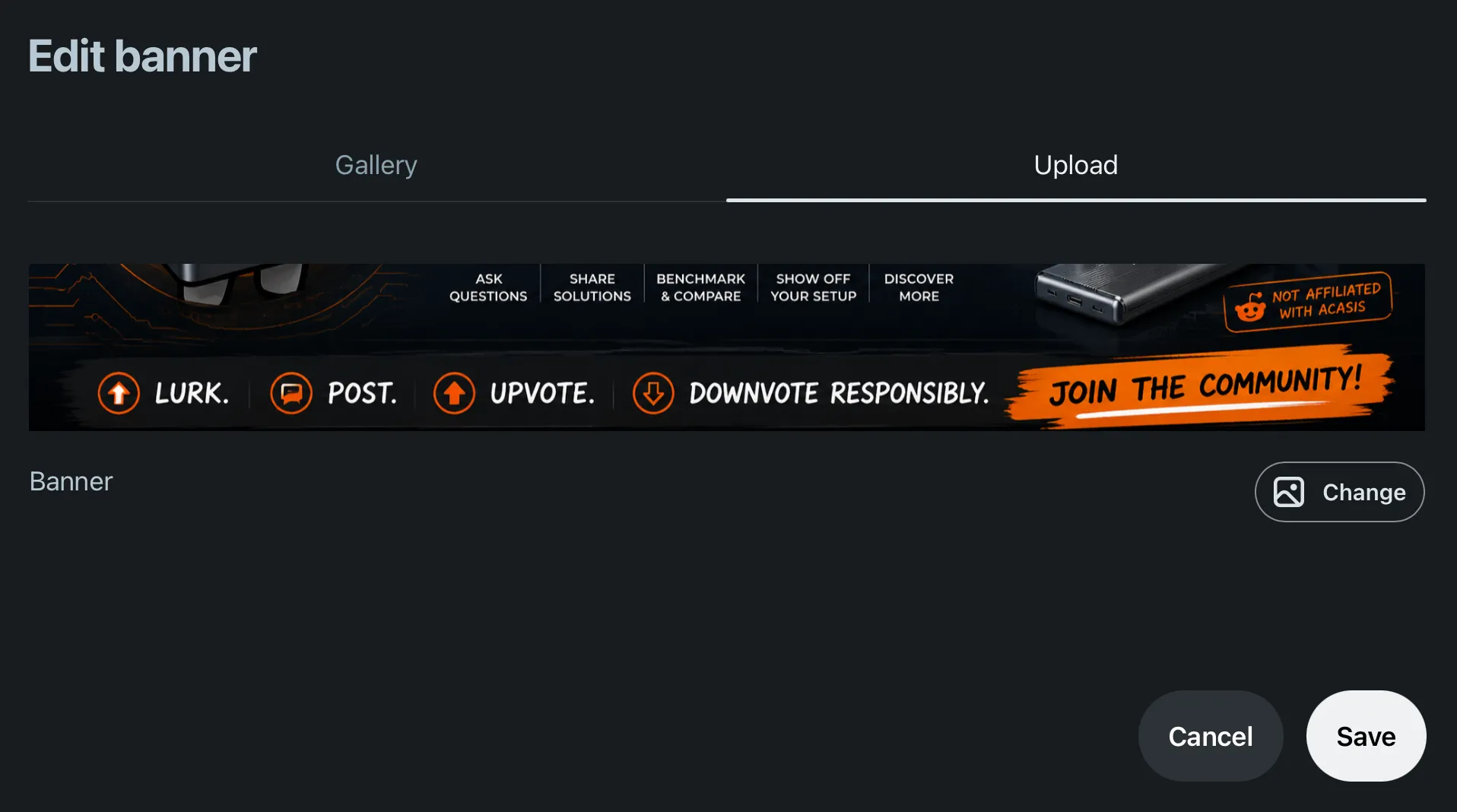
Note how little vertical space the banner actually gets. Anything stacked more than two lines deep will be unreadable.
Step 5: The launch screen
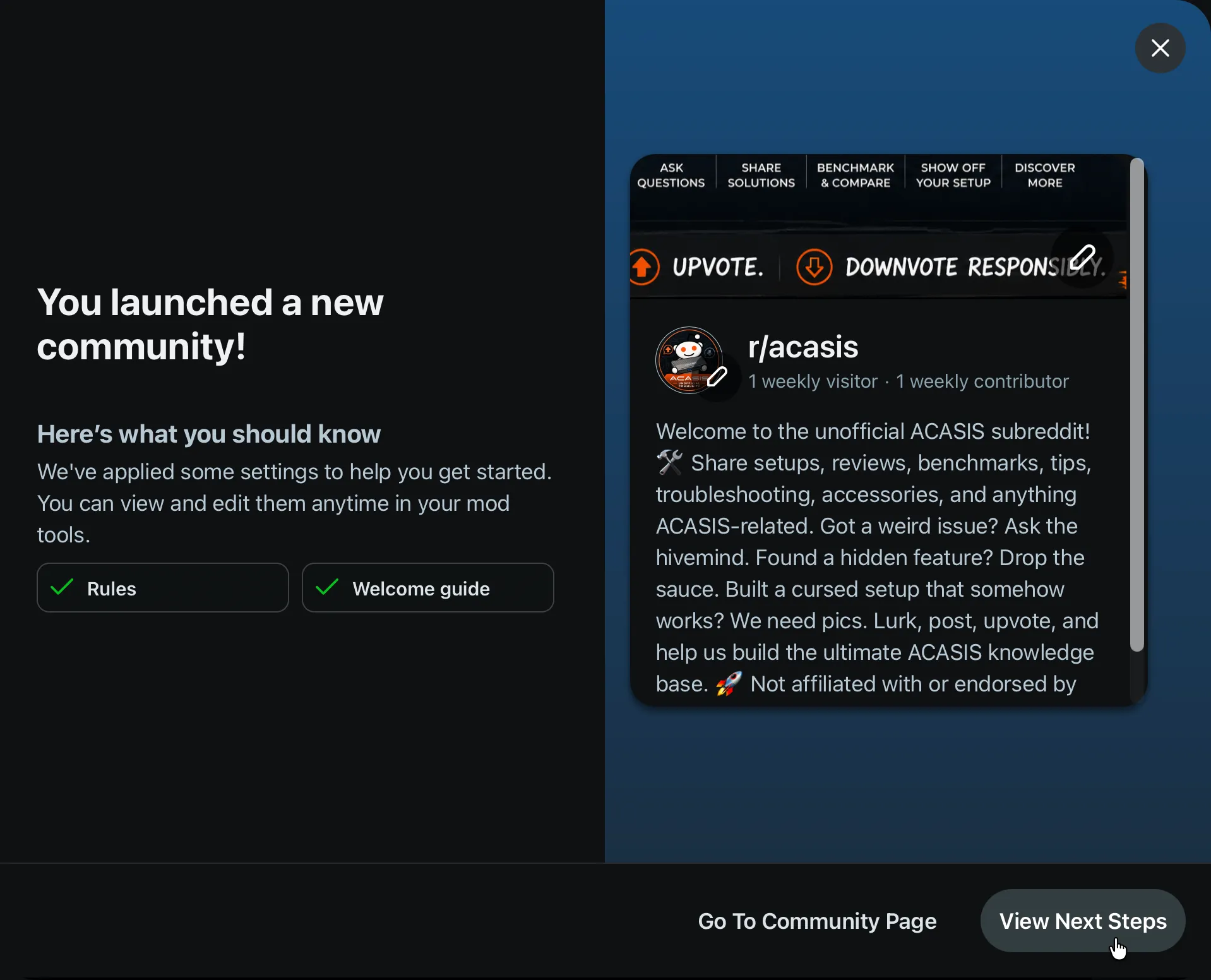
Worth reading the small print here: Reddit now applies a default set of rules and a welcome guide for you. That is new, and it is a floor, not a finished job. The defaults are generic (“Respect others and be civil”, “No spam”), they carry no removal reasons, and they say nothing about what your community is actually for. Rewrite them.
From View Next Steps you land in mod tools, which tracks setup as achievements:
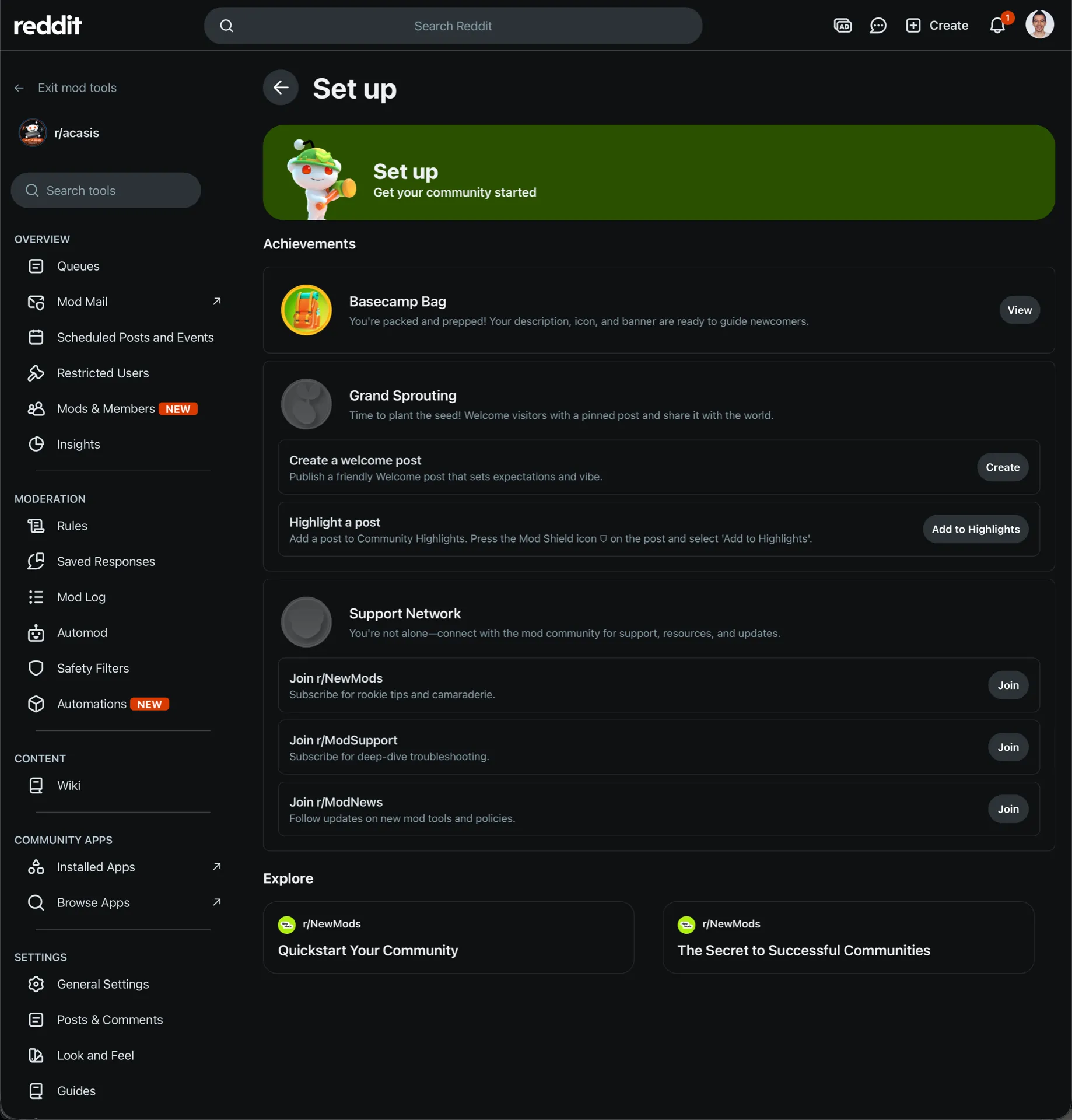
Ignore the gamification, but the checklist itself is a reasonable order of operations. The left sidebar is where the real configuration lives: Rules, Automod, Safety Filters, Look and Feel and Wiki.
And this is what a brand new community looks like to a visitor:
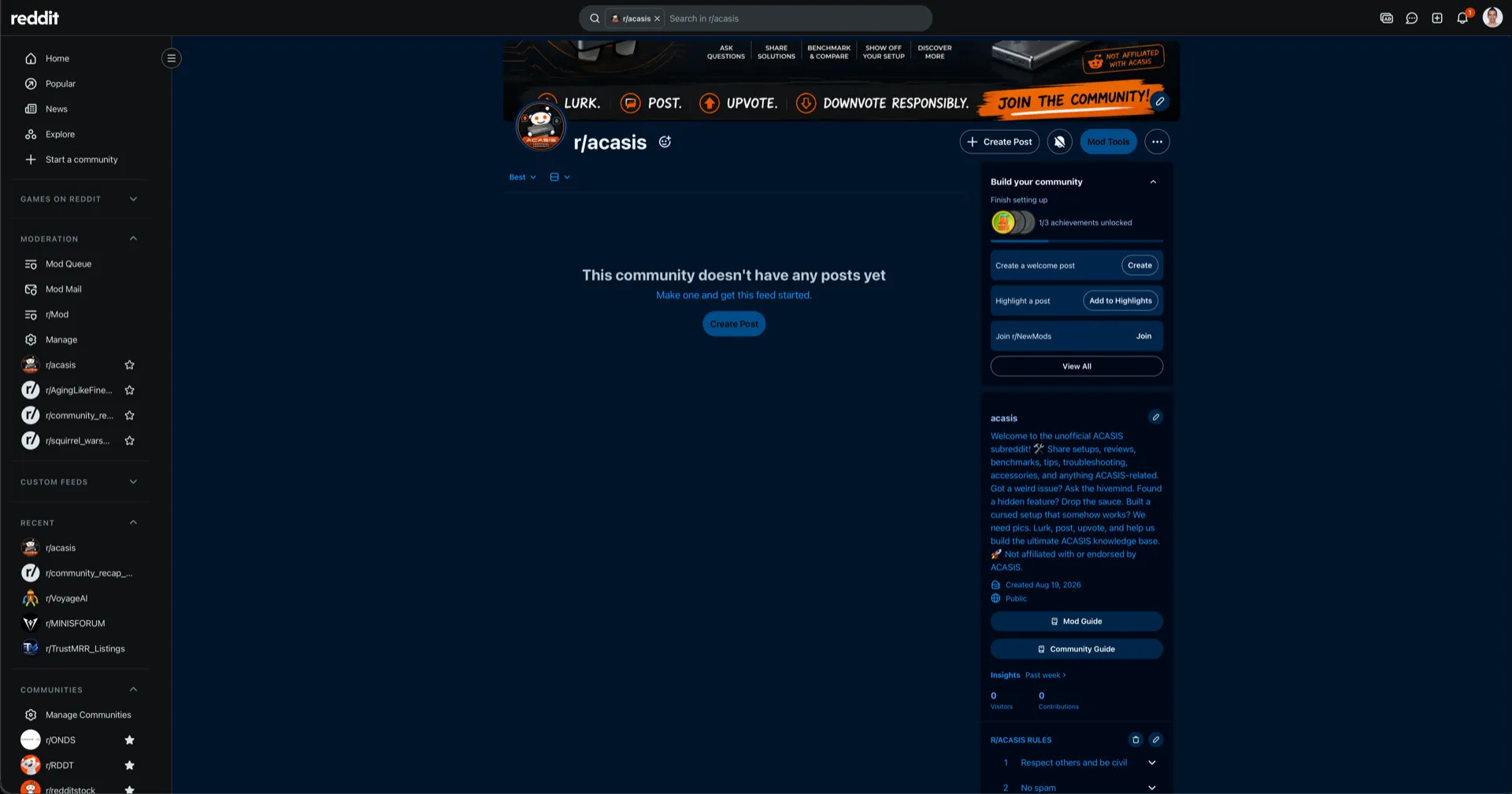
Branding done, zero posts. Nobody joins this. Everything from here on is the work that decides whether it lives, starting with the seed content further down.
On mobile: the same flow is in the app under your profile menu, then Create a community. It exposes fewer options than desktop. Create it on desktop if you can, because you will be doing the real configuration there anyway.
Requirements Reddit Doesn’t Put in the Form
- Account age and karma. Reddit gates community creation behind a minimum account age and karma threshold, and it does not publish exact numbers (they change, and they vary with account standing). A brand-new account with no karma cannot create a subreddit. If you are setting this up for a company, use an established account rather than one registered that morning.
- Verified email. Required on the account before you can create anything.
- The name is permanent. This is the big one, so it gets its own section below.
The Name Cannot Be Changed. Ever.
There is no rename function for subreddits. Not in settings, not by asking admins. If you outgrow the name or picked it badly, your only option is to create a new community and try to drag your members across, which in practice loses most of them.
Before you commit, check:
- Is the obvious name already taken by a squatter or an unofficial fan community? (Both are common, and both need a different approach.)
- Does it match how customers refer to you, not how your brand guidelines do?
- Will it still make sense if you expand your product line?
- Is it short enough to say out loud without spelling it?
Spend an afternoon on this. It is the only decision in this entire guide you cannot undo.
Subreddit Image Sizes and Specs
Reddit asks for several images at different dimensions, and the interface is not always clear about which is which. Current specs:
| Asset | Size | Notes |
|---|---|---|
| Community icon | 256 × 256 px | Displays as a circle, so keep detail centred and away from the corners |
| Banner (desktop) | 4000 × 128 to 4000 × 512 px | The height you pick sets the banner style; the sides get cropped on narrow windows |
| Banner (mobile) | 1080 × 360 px recommended | Uploaded separately; do not assume the desktop one carries over |
| Post flair icons | 16 × 16 px | Optional, easy to skip, makes the sub look maintained |
Two things people get wrong here. First, the desktop and mobile banners are separate uploads, and most of your traffic will be mobile, so a subreddit with only a desktop banner looks broken to the majority of visitors. Second, anything important in a banner should sit in the middle. The edges are the first thing to be cropped.
Keep files under a few hundred KB where you can. PNG for anything with text or flat colour, JPG for photography.
Phase 1: Foundation (Weeks 1–4)
Configure Before You Invite Anyone
Don’t rush the setup. Before your first post:
- Name carefully: see above. It is permanent.
- Write compelling rules: Clear, welcoming rules set the cultural tone early. Include what’s allowed, not just what’s banned. Attach a removal reason to each rule while you are in there, because that is what makes moderating fast later.
- Design the sidebar: Treat it like a landing page. New visitors need to immediately understand what the community is for.
- Create a wiki: FAQs, resources, getting started guides. This becomes your community’s bible.
- Set up flairs: Post and user flairs add structure and make the community feel alive.
Set Up AutoModerator Before You Need It
AutoModerator is a bot that applies rules you write to every incoming post and comment. It is configured in your subreddit’s wiki, at /r/yourname/wiki/config/automoderator, in YAML.
At minimum, configure it to:
- Filter posts from very new or very low-karma accounts. This alone removes most spam.
- Filter or remove known spam domains and any link shorteners.
- Flag posts containing words you always want to see, such as your competitor names or “refund”.
- Auto-reply to first-time posters with a short welcome and a link to the rules.
This is where most brand-run subreddits quietly fail. Nobody sets up automod, spam arrives, the one person nominally moderating gets tired of it, and six months later the community is unusable. Twenty minutes of YAML at the start prevents nearly all of it.
Doing this for a brand and want it done properly? Our subreddit setup pack covers the naming strategy, the full visual identity, rules, AutoModerator config and seed content, handed over to you as moderator. Fixed price, four weeks.
Seed Content Before Launch
Never launch to an empty room. Before promoting the subreddit publicly:
- Post 15–20 high-quality threads across different content types
- Create a community introduction post
- Set up at least one weekly recurring thread (e.g., “Weekly questions thread”)
- Pin a welcome post with clear navigation
The goal is that anyone who discovers the subreddit sees a living, breathing community, not a blank page.
Pin two or three of the best ones as Highlights, the row of featured posts at the top of the community. An empty Highlights row is one of the clearest signals that nobody is home.
Why Even Bother with a Branded Subreddit?
Worth stopping here, because the work above is real and the work below is ongoing. Be clear on the “why”:
- Owned community: Unlike social media pages, a subreddit isn’t subject to algorithmic reach throttling
- SEO value: Reddit ranks well in Google. Your subreddit can capture branded and category searches
- Customer intelligence: Unfiltered feedback from your most engaged users
- Reduced support burden: Community members answer each other’s questions
- Brand credibility: A thriving community signals product/market fit
The key word is thriving. A dead community hurts more than helps: it is a public, indexed page showing that nobody cares about your brand enough to post in it.
Phase 2: Growth (Months 2–6)
Content Calendar Framework
Successful branded subreddits use a content mix:
| Content Type | Frequency | Purpose |
|---|---|---|
| Product updates / announcements | As needed | Brand voice |
| Educational content | 2–3x/week | Provide value |
| Community discussions | Weekly | Build relationships |
| UGC spotlight | Weekly | Celebrate members |
| AMAs | Monthly | Credibility + engagement |
| Weekly/daily recurring threads | Daily/weekly | Habit formation |
Drive Initial Traffic
Your subreddit won’t grow without initial seeding. Tactics that work:
- Email signature: Add your subreddit link to team email signatures
- Website footer and blog posts: Link to the community from high-traffic pages
- Other Reddit communities: Participate (genuinely) in related subreddits and add the subreddit to your profile bio
- Product onboarding: Mention the community in your onboarding flow
- Power users: Identify your 10 most passionate customers and personally invite them to help build the community
Moderation Philosophy
The subreddit’s culture is determined by what you allow, not what you forbid. Establish early:
- Response time: Commit to responding to every post within 24 hours in the early stages
- Tone: Warm, helpful, occasionally humorous. Not corporate.
- Conflict policy: How you handle criticism, complaints, and trolls
- Transparency: When you make changes, explain why in a mod post
Phase 3: Sustainability (Month 6+)
Once you’ve hit ~500 subscribers and consistent daily posts, focus on sustainability:
Elevate Power Users
Reddit’s karma system naturally surfaces your most active contributors. Lean into this:
- Assign “Ambassador” or “Approved Contributor” flair to top members
- Give select power users mod status for specific areas
- Feature community members in spotlights
- Create an exclusive AMA series with team members or customers
Metrics to Track
Measure community health, not just size:
- Daily active users / monthly active users (DAU/MAU) ratio: Aim for >10%
- Posts per day: Consistent volume indicates a healthy community
- Upvote ratio: High average upvotes signal quality content
- Comment-to-post ratio: Engagement depth metric
- New subscriber growth: Week-over-week percentage
Red Flags
Watch for these early warning signs:
- Falling post frequency (community going quiet)
- Rising spam or low-quality posts (moderation needed)
- Declining comment counts (engagement dropping)
- Negative sentiment in comments (cultural issues forming)
Address problems early. A dying community is much harder to revive than to prevent.
Real Examples Worth Studying
Before building your own, spend time in these well-run branded communities:
- r/apple: Massive organic community with minimal brand involvement
- r/Notion: Brand-adjacent community with excellent UGC
- r/rust: Technical community with incredible documentation culture
- r/formula1: Off-brand but outstanding model for recurring content formats
The Long Game
A great branded subreddit takes 12 to 18 months to truly hit its stride. Don’t measure success in the first 90 days. The brands that win on Reddit are the ones that commit to genuine community building and are patient enough to let it compound.
The honest summary: creating the subreddit takes two minutes, setting it up properly takes a few weeks, and keeping it alive is a permanent job. Most branded subreddits die at the third stage, not the first.
If you want it built right the first time, our subreddit setup pack covers everything in Phase 1 as a fixed-price project, then hands you the keys. If the ongoing part is what you don’t have time for, that is Reddit community management. Either way, you can tell us what you’re working with.